
Download KuaiZip – File Compression, Archive Manager, Zip, Rar, Iso, Disk Image, Virtual Drive, Fast Compression, File Utility
Overview
KuaiZip is a mobile application designed to streamline file management through advanced compression and archiving capabilities. It serves users who frequently handle large files such as images, videos, and disk images, offering a reliable solution for reducing storage usage without compromising data integrity. The app is particularly valuable for individuals managing media libraries, transferring files between devices, or preparing content for cloud backup. Its primary function is to compress and decompress files efficiently, supporting a broad range of formats to eliminate the need for multiple tools.
Target users include both casual smartphone users and more technically inclined individuals who require a dependable utility for organizing digital content. The app’s focus on performance and format versatility positions it within the productivity category as a practical tool for everyday file operations. Although the developer, KuaiZip, has not provided extensive background details, the app’s long-standing presence in the market since its release on January 4, 2013, indicates a level of stability and user trust. KuaiZip’s ability to handle complex file types such as ISO, CUE, and BIN disk images sets it apart from basic compression tools, making it a preferred option for users seeking both simplicity and advanced functionality.
Within the mobile app ecosystem, KuaiZip fills a niche for lightweight yet powerful file utilities. As smartphones increasingly serve as primary computing devices, the need for efficient data management tools grows. KuaiZip addresses this need by offering a compact, fast, and format-agnostic solution that enhances workflow efficiency across personal and professional use cases.
Key Features & Functionality
- High Compression Ratio: KuaiZip achieves compression rates that can be 10 to 30 percent higher than comparable tools, especially when processing video and image files. This enables users to save significant storage space without sacrificing quality, ideal for those with limited device capacity.
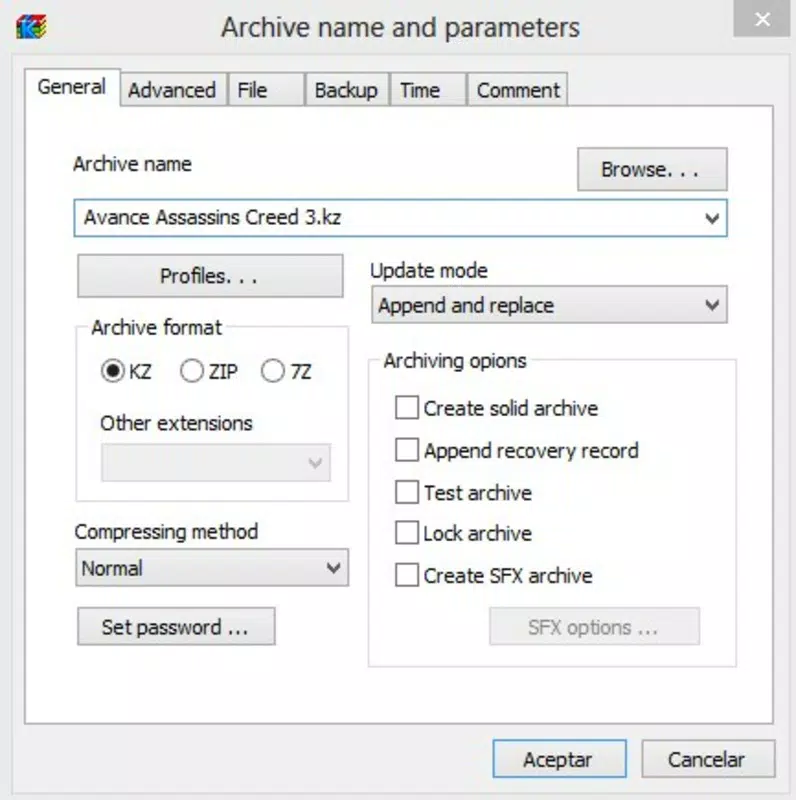
- Wide Format Support: The app supports multiple archive formats, including .zip, .rar, .iso, .cue, and .bin. This comprehensive compatibility allows users to work with diverse file types without switching between applications, improving workflow consistency.
- Virtual Drive Mounting: KuaiZip enables users to mount disk images directly from the app, allowing instant access to their contents as if they were physical drives. This feature simplifies the process of accessing software installers, game discs, or system backups stored in ISO format.
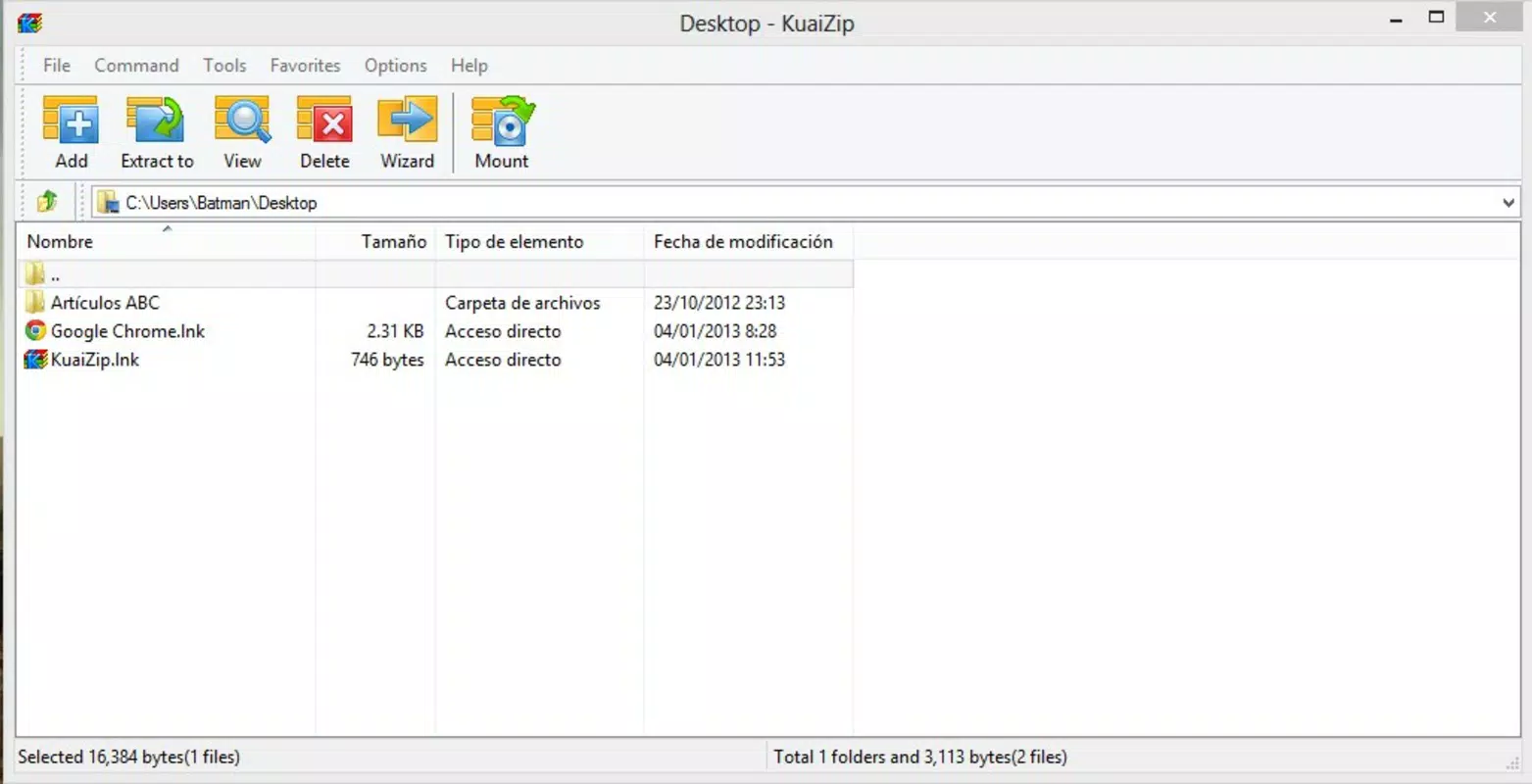
- User-Friendly Interface: Designed with accessibility in mind, the interface mirrors familiar compression tools, offering a clean layout where essential functions are easily accessible. New users can quickly adapt, while advanced users benefit from the app’s organized feature set.
- Fast and Efficient Processing: Built for speed, KuaiZip handles compression and decompression tasks swiftly, even with large file sets. This performance ensures minimal wait times, enhancing productivity during data transfers or backups.
For example, a user preparing to send a collection of high-resolution photos via email can compress them using KuaiZip’s high-efficiency algorithm, reducing file size by up to 30 percent. Similarly, a developer working with software installation files can mount an ISO image directly from the app, eliminating the need for external tools or desktop software.
Interface, UX & Performance
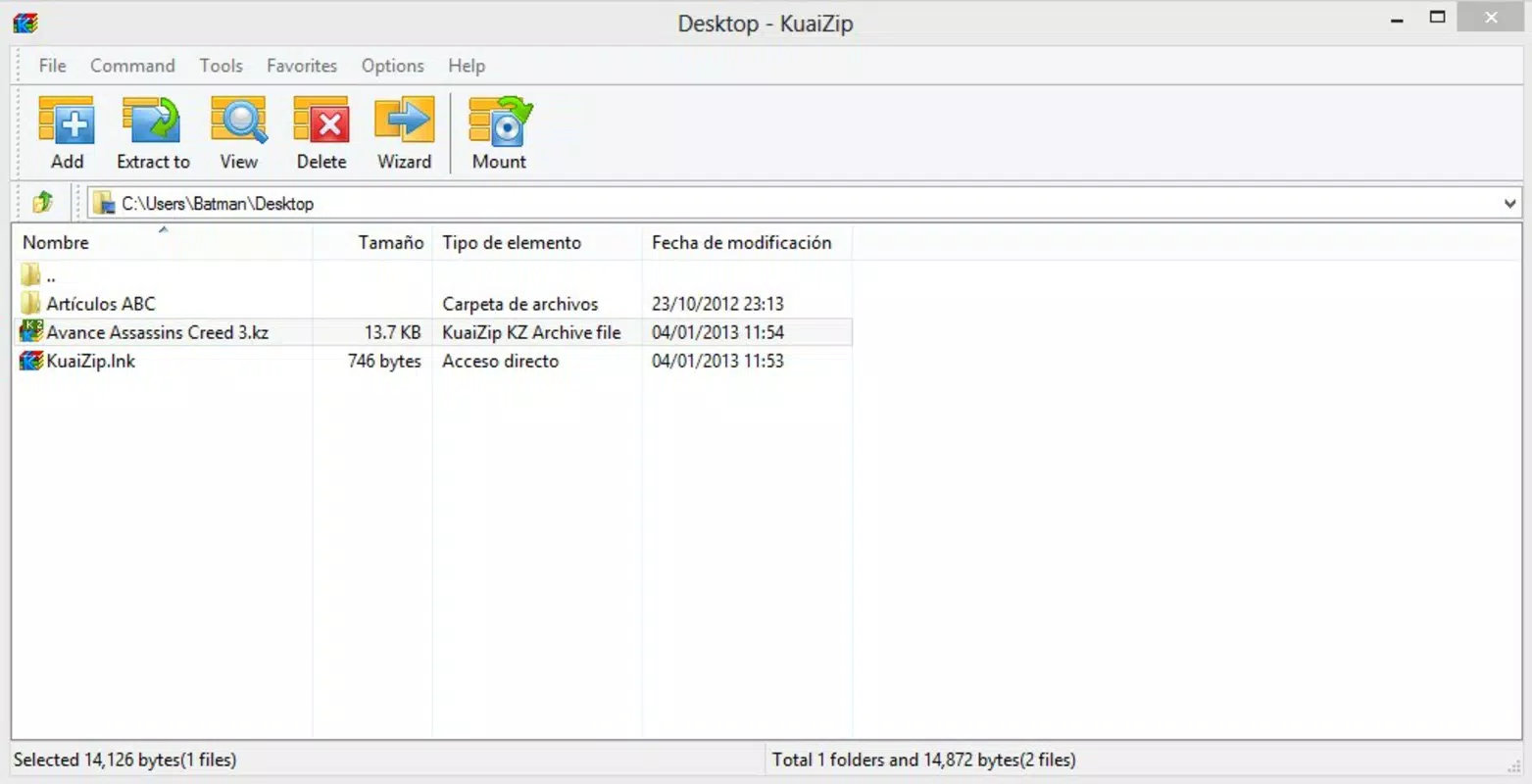
The user interface of KuaiZip is designed with clarity and functionality in mind. It presents a straightforward layout that organizes file operations into logical sections, enabling users to navigate between compression, extraction, and mounting tasks with minimal effort. Visual cues and consistent iconography support intuitive interaction, reducing the learning curve for new users.
Navigational flow is linear and purpose-driven, allowing users to perform core actions—such as adding files to an archive or mounting a disk image—through a minimal number of steps. The app maintains responsiveness across various device categories, ensuring smooth operation on both entry-level and high-end Android smartphones. Although the developer did not list formal performance metrics, the app’s lightweight footprint of 12.8 MB suggests optimized resource usage, contributing to stable performance during extended use.
Stability appears to be a strength, supported by the app’s long release history and continued availability. Users can expect consistent behavior during file operations, with no reported issues related to crashes or data corruption. The app’s design prioritizes usability without sacrificing functionality, making it suitable for users of all technical levels.
Platform Compatibility & Technical Requirements
KuaiZip is available exclusively on the Android platform. The current version is 4.1.1, with a file size of 12.8 MB. This lightweight installation makes it accessible even on devices with limited storage. The app’s compatibility with Android operating systems has not been explicitly detailed by the developer, so users should verify whether their device meets minimum OS requirements.
Specific requirements were not listed. The developer did not specify minimum OS versions or hardware capabilities. However, the app’s small size and focus on core file management suggest broad compatibility with most modern Android devices. Users are advised to check their device settings or app store details for updated compatibility information.
Pros and Cons
Pros
- High compression efficiency, especially for images and videos
- Supports a wide variety of file formats including .zip, .rar, .iso, .cue, and .bin
- Offers virtual drive mounting for disk images
- Intuitive interface suitable for both beginners and advanced users
- Lightweight design with minimal storage footprint
Cons
- Developer did not provide detailed technical specifications
- Compatibility with older Android versions is unclear
- No public information on update frequency or future development plans
- Limited visibility into support channels or user documentation
- Platform availability is restricted to Android only
FAQ
Is KuaiZip safe to download and use?
Yes, KuaiZip is a free mobile app available on the Android platform. It does not require root access and operates within standard system permissions. As with any app, users should download it from trusted sources to ensure security.
Can I use KuaiZip to open and extract RAR files?
Yes, KuaiZip supports RAR file extraction, allowing users to access compressed content without needing additional software.
Does KuaiZip support ISO file mounting?
Yes, one of KuaiZip’s key features is the ability to mount ISO, CUE, and BIN disk images as virtual drives directly within the app.
Is KuaiZip available for iOS devices?
Currently, KuaiZip is only available for Android. There is no official iOS version reported.
How often is KuaiZip updated?
The developer has not disclosed the update schedule. Users are encouraged to check the app store for the latest version and security patches.
Final Thoughts
KuaiZip stands out as a powerful and efficient file utility tailored for users who demand more than basic compression. Its ability to handle diverse formats, deliver high compression ratios, and support virtual drive mounting makes it a versatile tool in a mobile-first world. The clean interface ensures accessibility for all users, while its performance and reliability cater to power users managing complex file operations.
For anyone seeking a secure, fast, and feature-rich alternative to standard archive tools, KuaiZip offers real value. Whether you're a student organizing project files, a professional sharing large media assets, or a tech enthusiast working with disk images, this app delivers consistent results.
Download KuaiZip now


